№105333[Quote]
>>105332that clip is a little unsettling but at the same time mesmerising, is there like a full version, or a movie or something that accompanies it?
№105334[Quote]
>>105333Nah grabbed it off of /wsg/
Anon, drink blood.
It will change you.
№105363[Quote]
File: kino.PNG 📥︎ (1.67 MB, 1201x818) 1149833f6c75c1b382348a91c1cb1cab0.001ImgOps
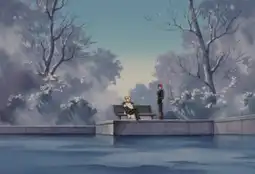
>>100247 (OP)Legend of the Galactic Heroes
№105372[Quote]
Speed Grapher
Monster
Elfen Lied
Pupa
Get ready for heavy, artsy, and impactful
№105380[Quote]
>>105363When does it get good?
I stopped watching out of boredom when they were solving mysteries at the academy or whatever.
№105427[Quote]
>>105363You should be aware you can super easily make GinEi look much better if you render it through "ffdshow raw video filter" (within the "External Filters" section of MPC-BE) and within the ffdshow options change the Levels to something like "8 220" with "Force RGB conversion" enabled, and also boost the Saturation a bit. Here's your first screenshot edited that way (in Photoshop but the effect is similar), demonstrated in this webm.
The webm is a VP9 encode done in lossless mode with YUV444 10bit (with a correctly done RGB-to-bt709 conversion) so there were no unintentional additional color changes. The video consists of three frames with the FPS set to 0.5 so each frame is displayed for 2 seconds.
The last frame shows the Levels (in Photoshop) in order to illustrate that there is no data leftward for 8 steps and no data rightward for 35 steps so you're not crushing anything by setting it to 8 and 220. Of course that's that particular scene. In others it may be more optimal to have the darkness slider at 4 (less darkness applied) and the brightness slider at 230 (less brightness applied) instead of 220 but for a lot of GinEi even 210 works but that will definitely make some things too bright sometimes. The scenes most at risk of becoming too bright when increasing the brightness are those with the re-done modern animation.
№105446[Quote]
>>100247 (OP)cyber city oedo
№105449[Quote]
>>105427I remember some other autist blogpostrailing against this (and blu-ray re-releases) bc they were compensating for old TV screens or something
i. e. they had to oversaturate the colors bc otherwise it'd look bad, but the colors they painted on the cels werent meant for you to see
№107976[Quote]
Shigurui death frenzy. Disturbing gemerald
№110307[Quote]
>>105277I love those silly faces in GTO.
№112246[Quote]
up
№112407[Quote]
up
№112536[Quote]
up
№112693[Quote]
up
№112814[Quote]
up
№112897[Quote]
bump
№112971[Quote]
up
№113031[Quote]
bumo
№113151[Quote]
vp
№113388[Quote]
vp
№113453[Quote]
bump
№113528[Quote]
up
№113581[Quote]
vp
№113639[Quote]
bvmp
№113722[Quote]
up
№113799[Quote]
up
№113802[Quote]
vp
№113918[Quote]
up
№114079[Quote]
up
№114187[Quote]
up
№114273[Quote]
vp
№114316[Quote]
bump
№114409[Quote]
up
№116518[Quote]
up
№116684[Quote]
.
№116833[Quote]
up
№116998[Quote]
vp
№117211[Quote]
.
№117350[Quote]
vp
№117499[Quote]
up
№117645[Quote]
.
№117811[Quote]
up
№118048[Quote]
up
№119770[Quote]
up
№120055[Quote]
up